
The documentation is applicable for >= Sippy 2024 version.
Old documentation for <=2023:
https://support.sippysoft.com/a/solutions/articles/145145
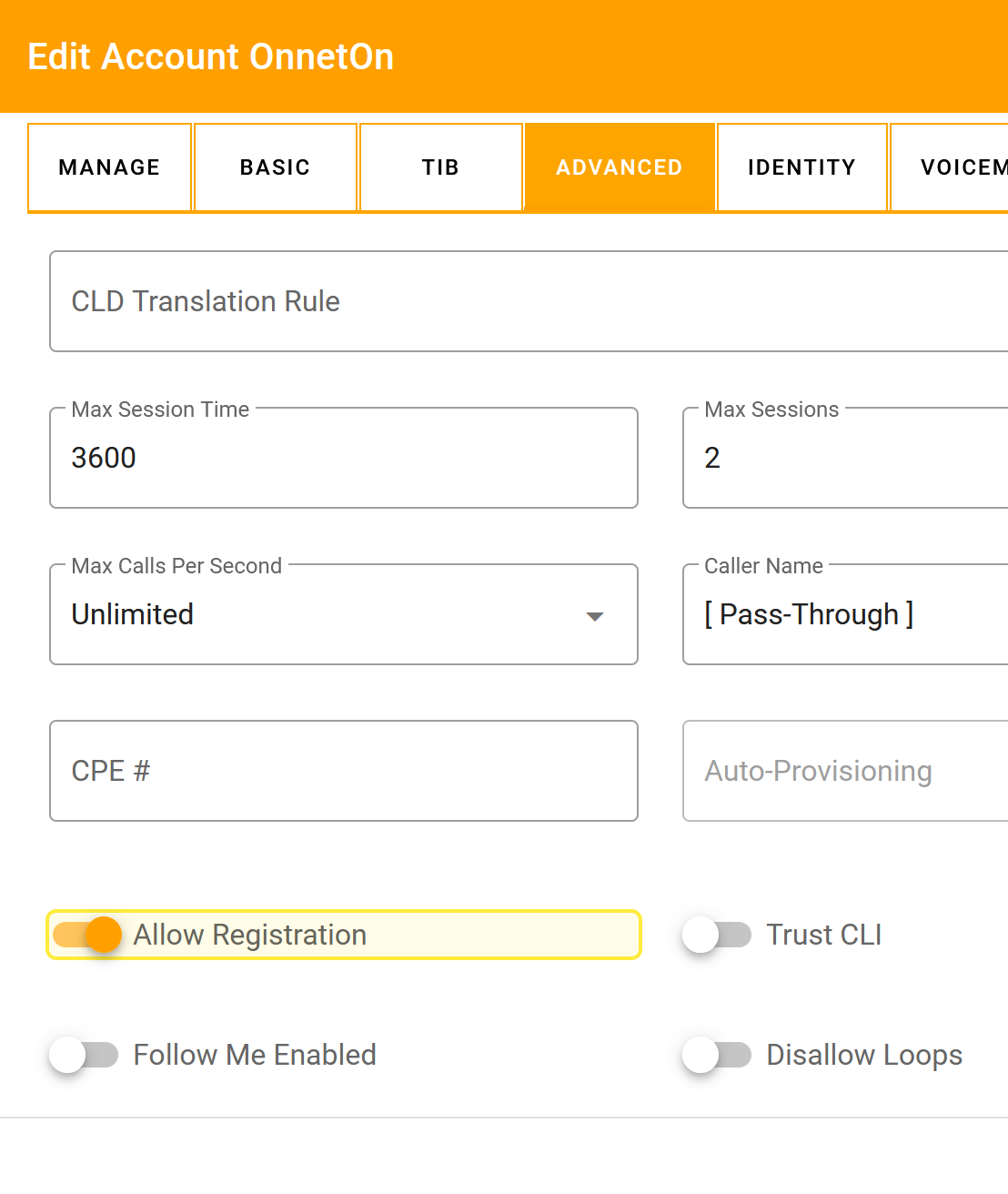
1. Allow registration for Account
Where to configure: Customers --> My Customers --> Accounts --> Account XXXX - Advanced
The Allow Registration function in the Account menu allows you to register device on account using the SIP secure digest authentication method (REGISTER request). If the field is unchecked, it disables registration but not a digest authentication, or Authentication Rules associated with each account.
2. Authenticate the call by Incoming CLI/ANI
Where to configure: Customers --> My Customers --> Accounts --> Account XXXX - Authentication Rules
Account Lookup by "Incoming CLI/ANI" works only if it is setup in Accounts --> Account XXXX --> Authentication Rules

3. Two Way Callback
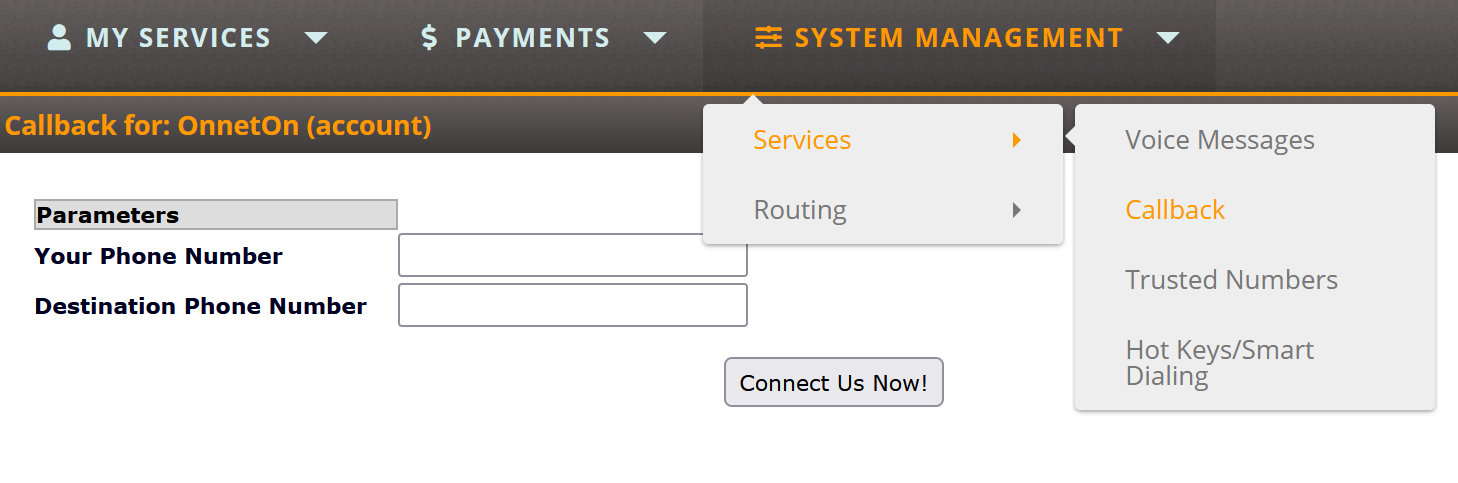
Where to configure: Login to Account Self-Care UI, System Management - Services - Callback
Feature available only when the Web Callback module is purchased and is used to connect two destinations using Account credentials. Account is charged for two outgoing calls: to CLD1 and CLD2. Enter both numbers and press Connect Us Now! button
4. Allow Free On-Net Calls
Where to configure: Customers --> My Customers --> Accounts --> Account XXXX - Advanced
Customers --> My Customers --> Account Classes
By default, the Softswitch rejects the free-of-charge On-Net calls when either the Account's or sub customers balance is below zero.
An option called "Allow Free On-Net Calls" can be enabled in Advanced tab of Account preferences and in Calling Features section of Account Class.
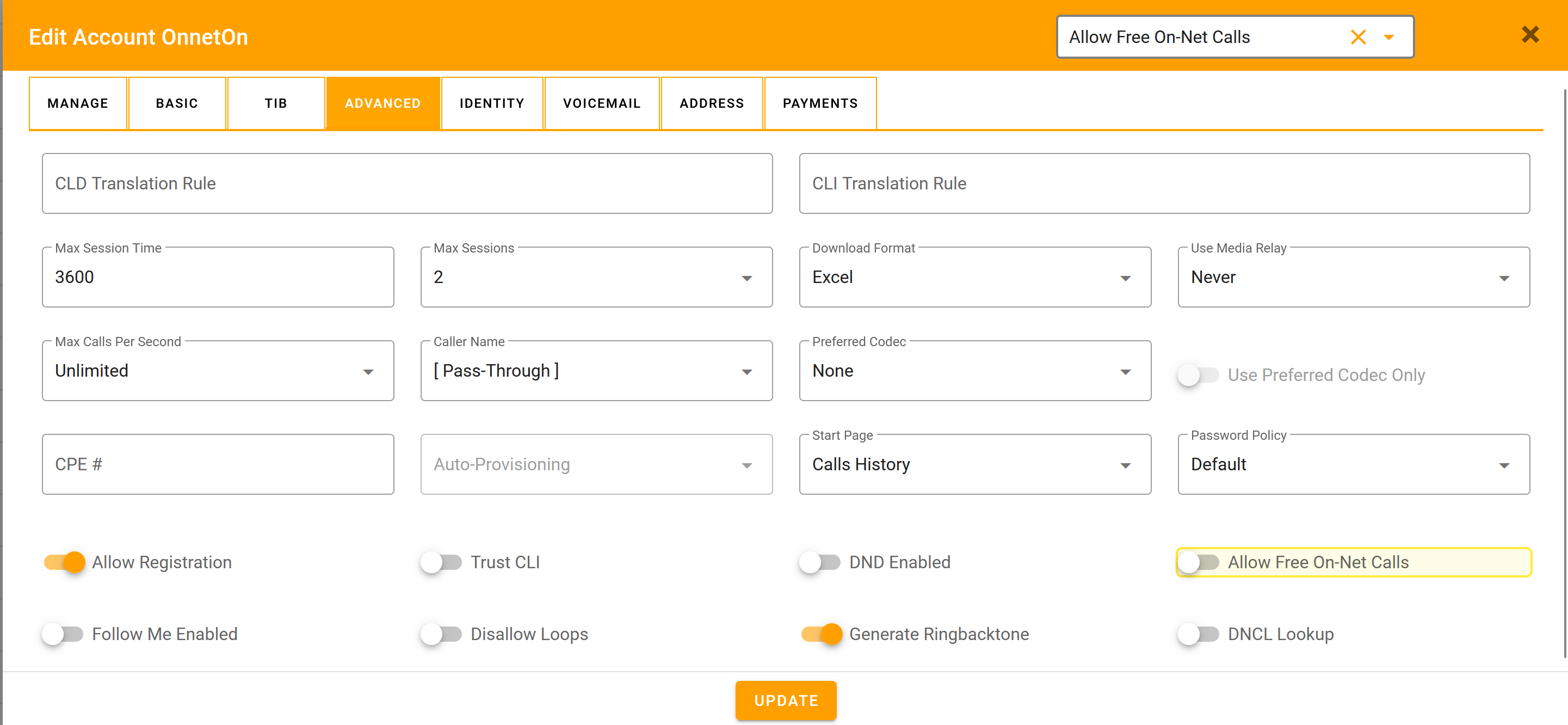
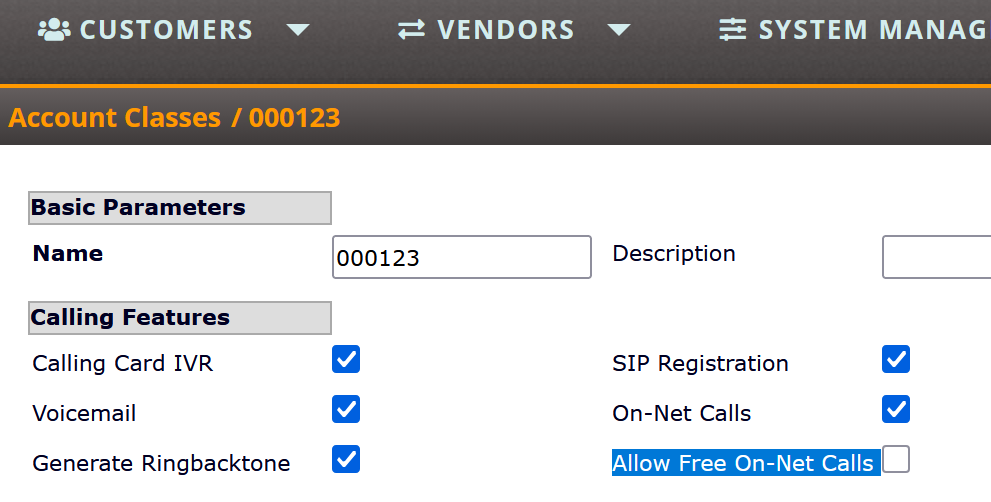
Selecting the checkbox allows you to change the behavior and pass the free On-Net calls regardless of the Account's balance. The option can be altered via xmlapi and our upload resource.
Related documentation:
Trunk Connections setup in >=2022