
Overview
This section describes the core web interface and security settings available in the Sippy Softswitch environment. It covers configuration options related to web access, authentication, backups, billing behavior, SMTP services, CDR handling, network services, and IP firewall management. These settings help administrators customize system behavior, enhance platform security, control data retention, and manage access to critical services and interfaces.
Here is a link to the previous version of the article for systems version Sippy 2024 and below.
https://support.sippysoft.com/a/solutions/articles/3000094513
Backup, Data Retention tab
This tab contains two sections:
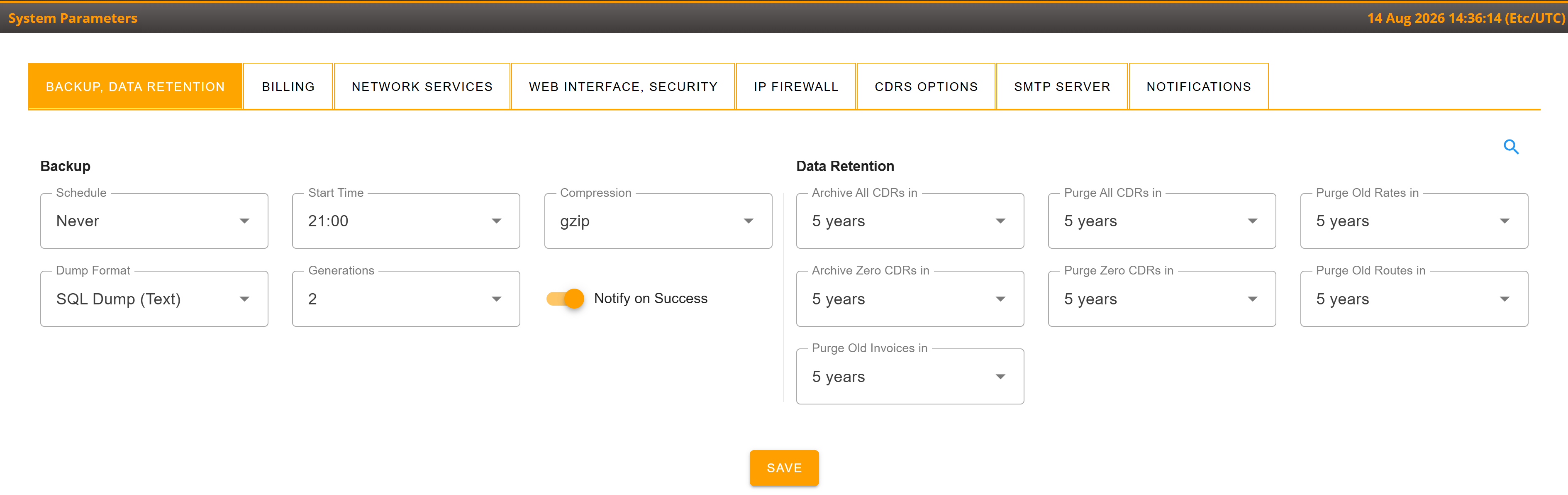
Backup section
This section is related to automatic backups of your environment. Backup options are described in the dedicated documentation: More info...
Data Retention section
This section includes options to set up automatic cleanup of your database and the internal storage of your server. In other words, Data Retention controls how long your data is kept in the database, when it is moved to archives, and how long it is kept in archived state in the storage of your bare metal server. The detailed options are described in the dedicated documentation: More info...
This page highlights the retention options for expired Rates, Routes, and Invoices:
- Purge Old Rates in: defines after what period outdated rates that are no longer used by the system are deleted.
- Purge Old Routes in: defines after what period old routes that are no longer relevant are deleted.
- Purge Old Invoices: defines after what period old invoices are deleted.
Billing tab
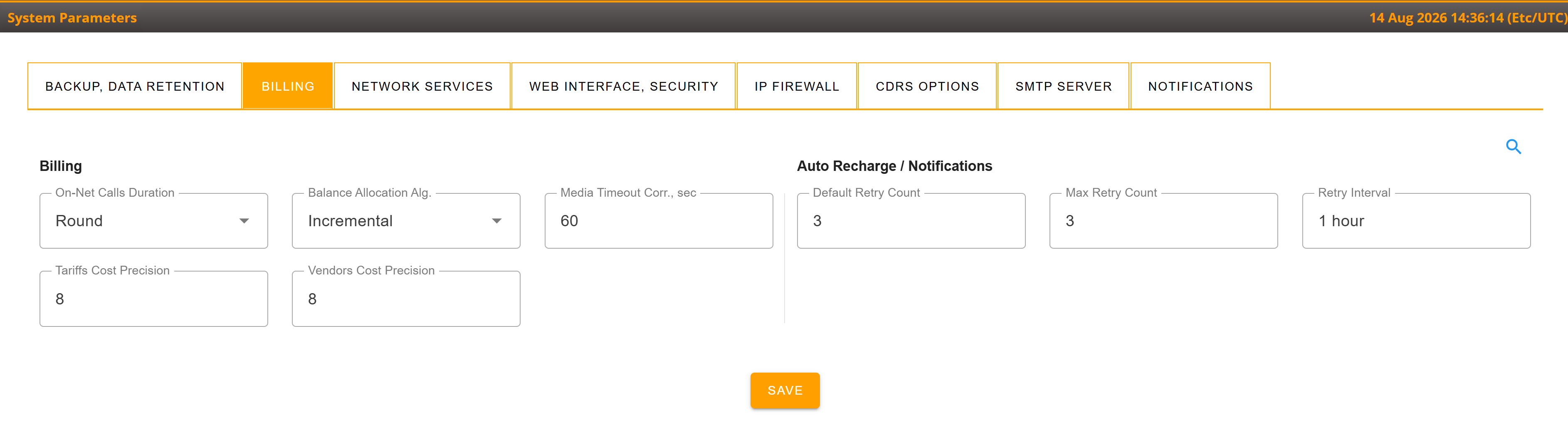
Billing section
The Billing tab contains environment-level billing settings. The Billing section includes the following parameters:
- On-Net Calls Duration: duration rounding policy for On-Net calls.
- Round: system applies default arithmetical round. 5.2 sec will become 5 sec; 5.5 sec will become 6 sec.
- Round-Up: always rounds to a higher integer value. 5.2 sec will become 6 sec; 5.5 sec will become 6 sec as well.
- Balance Allocation Alg.: Algorithm to define the session time for the calls so that balance is allocated more precise.
- Media Timeout Corr: this parameter controls the duration (60 seconds) that is subtracted from the total call duration if the system detects no media traffic. More info...
- Tariffs Cost Precision: cost decimal precision default values used upon creation of new Tariff. Default is 20
- Vendors Cost Precision: cost decimal precision default values used upon creation of new Vendor. Default is 20
Auto Recharge / Notifications section
This section contains notification retry settings used by Auto Recharge and related notifications. More Info...
- Default Retry Count: the default notification retry count applied only to newly created accounts/customers.
- Max Retry Count: the environment-wide maximum notification retry count.
- Retry Interval: the interval in hours before the next notification is sent.
Network Services tab
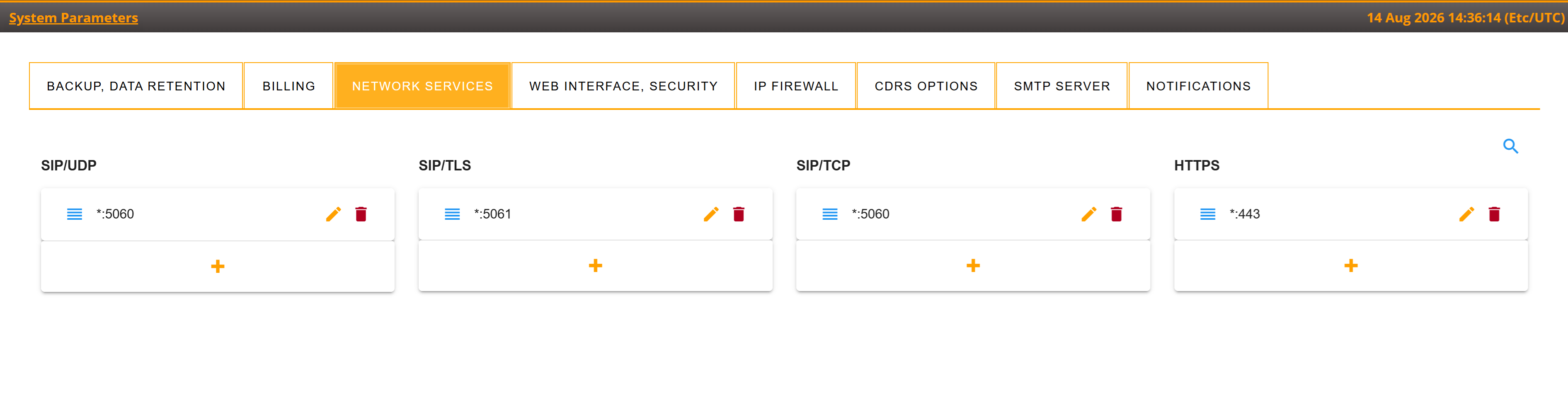
This tab allows you to fine-tune IP addresses and ports for various network services that the system uses, for example Web, SIP, and other services.
Web Interface, Security tab
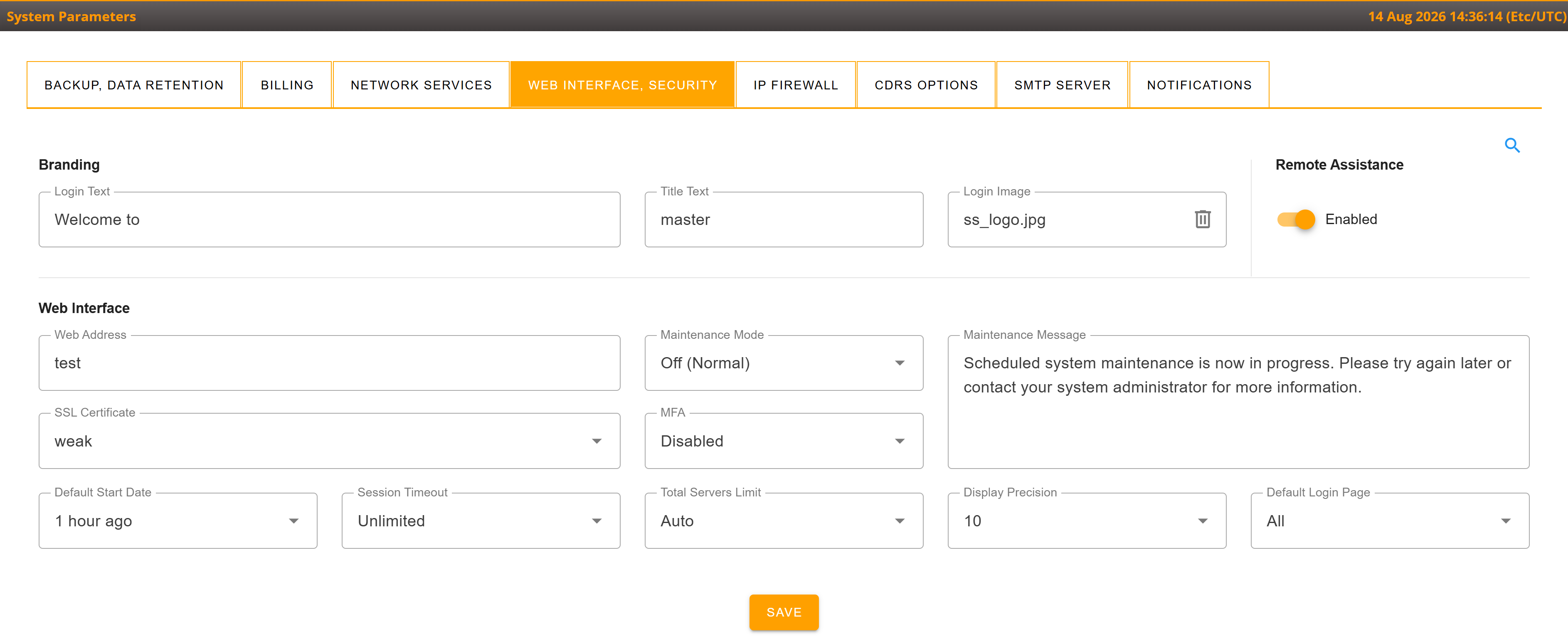
Branding section
The Branding section includes options for customization of the login page of your Sippy Softswitch. More info...
Web interface section
A set of options to configure Web interface access, authentication, display, and maintenance behavior.
- Web Address: the IP address or domain name of your environment web-interface.
- Maintenance Mode - a feature that restricts access to the Web interface.
- if "CDRs update" is selected, the system restricts CDR-related Web access for all users except "remote-assistance" and "ssp-root". This option does not affect call processing or CDR storage.
- if "System Update" is selected, the system blocks web for all users except "ssp-root" user with a message that you may specify in a "System Parameters" menu.
- Maintenance message: message displayed to web users when accessing the server case Maintenance Mode is set to anything but Off
- SSL Certificate: this is the field where you can select the required SSL certificate. More info...
- MFA - Multi Factored Authentication method applicable to all web users in Environment. More info...
- Total Server limit: an option of Apache web server that defines the maximum number of server connections. This limit is shared across all Environments and can only be configured in the first (main) Environment. (it is deprecated since Sippy 2025)
- Session Timeout: a time limit for the system to wait before a web user is logged out automatically. For instance, setting "30 minutes" means that if there is no activity by a particular user within 30 minutes, the system closes the web session for the inactive user. As a result, a user has to log into the Web-interface using his credentials again
- Default Start Date: the first specified time to be associated with the data to be displayed by any report. By default, all Web reports fetch statistics for 1 hour.
- Display Precision: all prices in the system are represented as numbers with a floating point. This option controls how many digits to display after the floating point on the Web-interface. Note that the database keeps all prices in raw format with maximum precision. The "Display Precision" option only controls how to represent them on the Web
- Default Login Page: an option to choose the default type of Web portal to log into. Available options are:
1. "All" allows the display of a drop-down menu and permits choice of login on the Login page: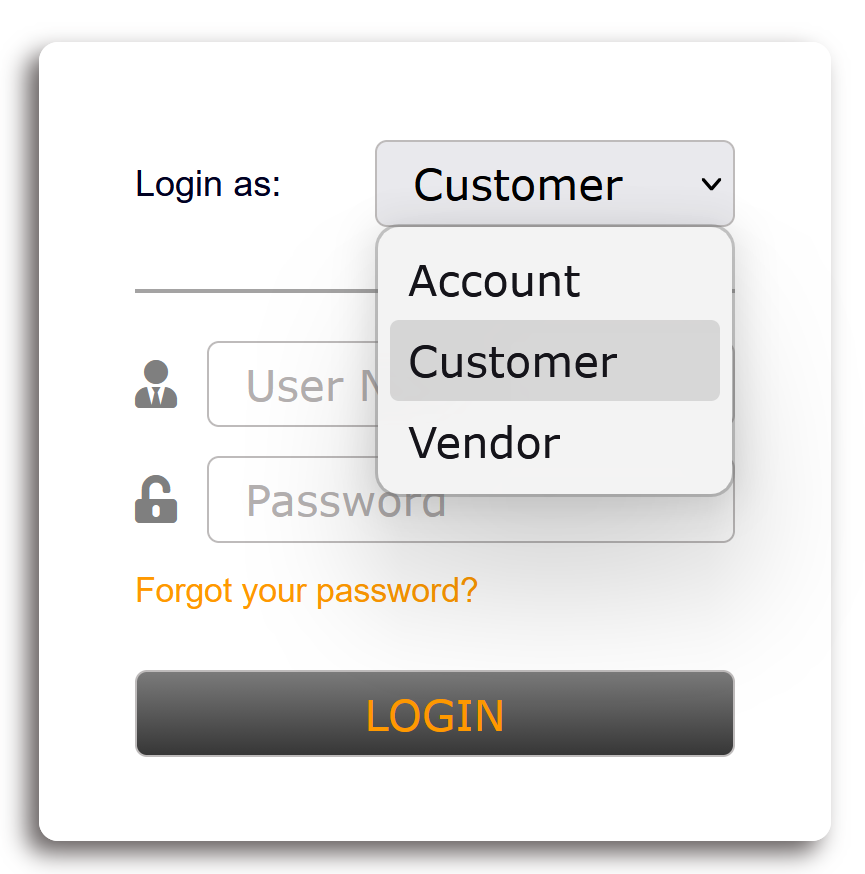 2. "Customer" sets Customer portal as the default type and hides the drop-down menu: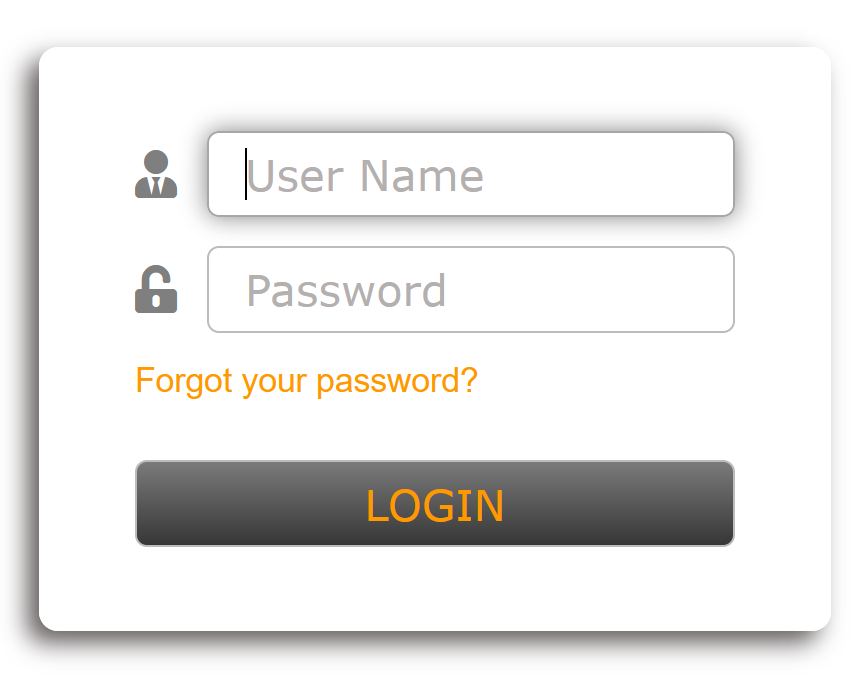
3. "Account" sets Account portal as the default type and hides the drop-down menu.
4. "Vendor" sets Vendor portal as the default type and hides the drop-down menu.
Remote assistance section
- Remote Assistance: enables or disables Web access for Sippy Support through a special remote-assistance user.
IP Firewall tab
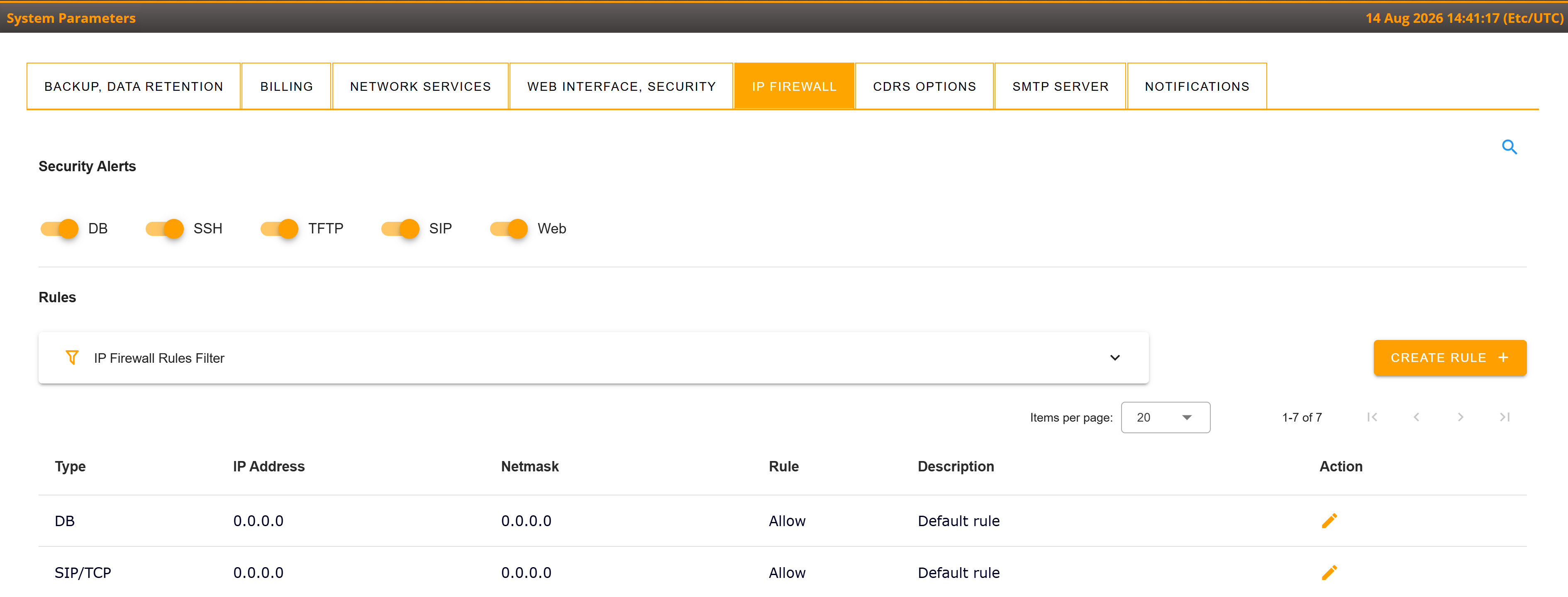
The Firewall configuration menu can be used to allow or deny access to selected environment services from specific IP addresses or networks. Detailed rule examples are available in the dedicated Firewall documentation linked above.
CDRs Options tab
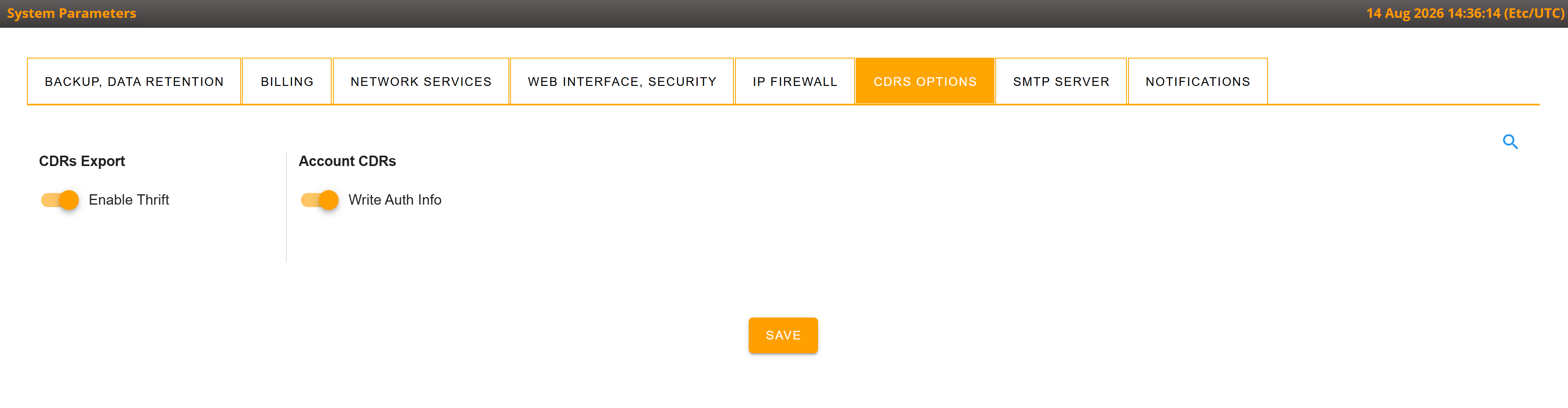
CDRs Export section:
Enable Thrift: this option allows to enable the generation of Thrift files.
Account CDRs section:
Write Auth Info: if this option is checked/enabled, the cdrs_ext_info table contains records related to the call authentication source. This information is then available
SMTP Server tab
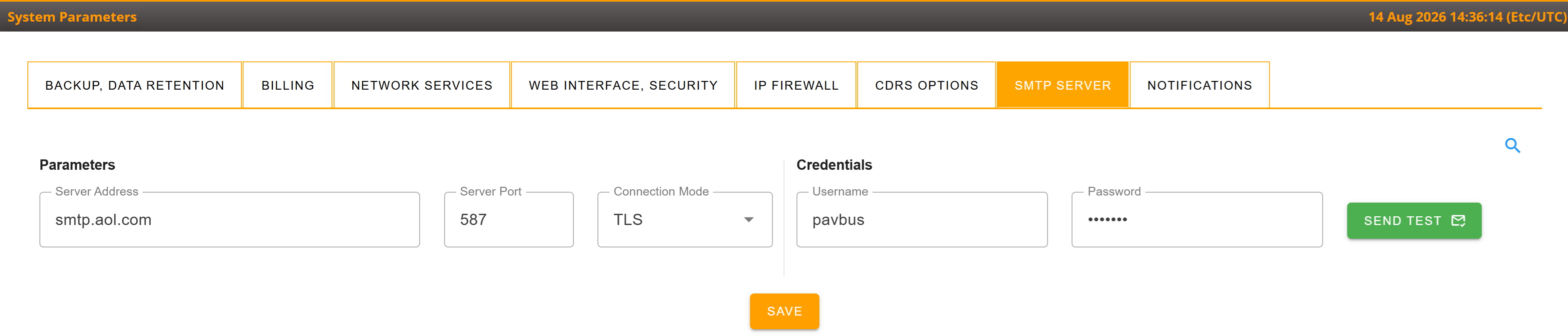
Settings that control outgoing emails sent from the Softswitch, such as a "Forgot Password" request or a system alert (e.g. Low Disk Space).
- Server Address/Server Port: an IP address or hostname and a port of remote SMTP server. The Default value for Server Address is "localhost" and for Server Port - "25" - this means the system is set to use the internal built-in mail agent for outgoing emails
- Connection mode: type of encryption used. Unsecure, TLS, SSL. Normally different ports can have different encryption setting.
- Username / Password: credentials for the connection (if needed)
The "Send Test" button enables sending a test message to any email recipient
Notification tab
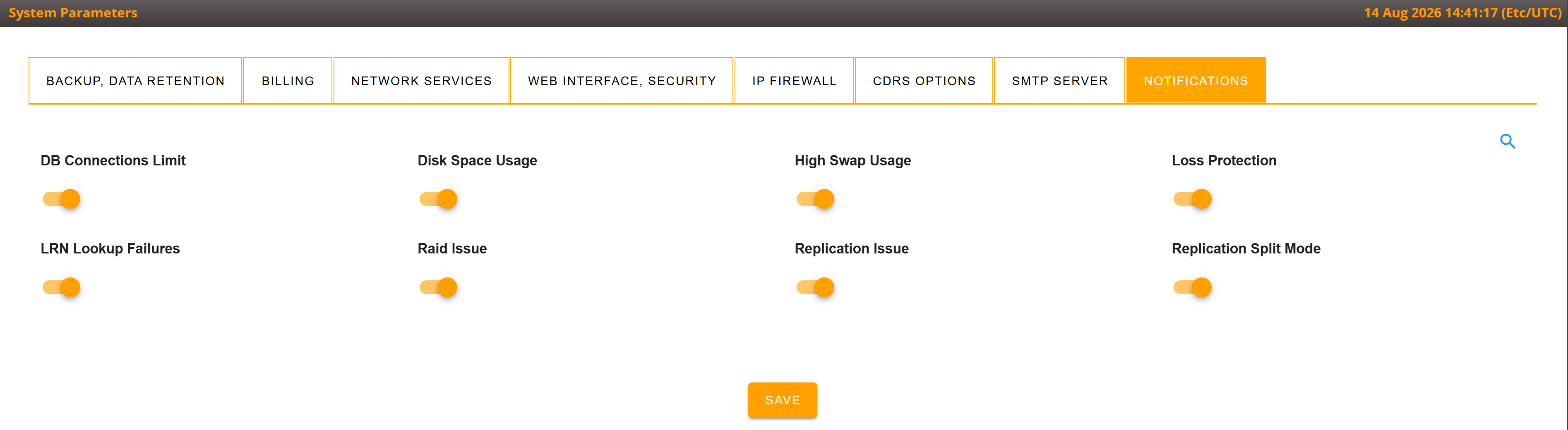
The Notification tab controls which monitoring alerts are sent by email for the current environment. Alerts are delivered to the root customer configured contact email address. Select the required notification types and save the changes. Available options can vary by software version.
The root environment can manage all available notification types. In non-root environments, only LRN Failures and Loss Protection can be configured.
- DB Connections: alerts about an excessive number of database connections.
- Disk Space: alerts when available disk space is low.
- MasterUp / DB Split: alerts about database master availability and database-split issues.
- RAID: alerts about RAID array problems.
- Replication: alerts about database replication issues.
- Swap: alerts when swap usage reaches the configured monitoring threshold.
- LRN Failures: alerts when the combined number of failed LRN lookups reaches the configured threshold. Repeated alerts are rate-limited.
- Loss Protection: daily alerts when calls are rejected by Loss Protection in the environment.
Other related/useful documentations: